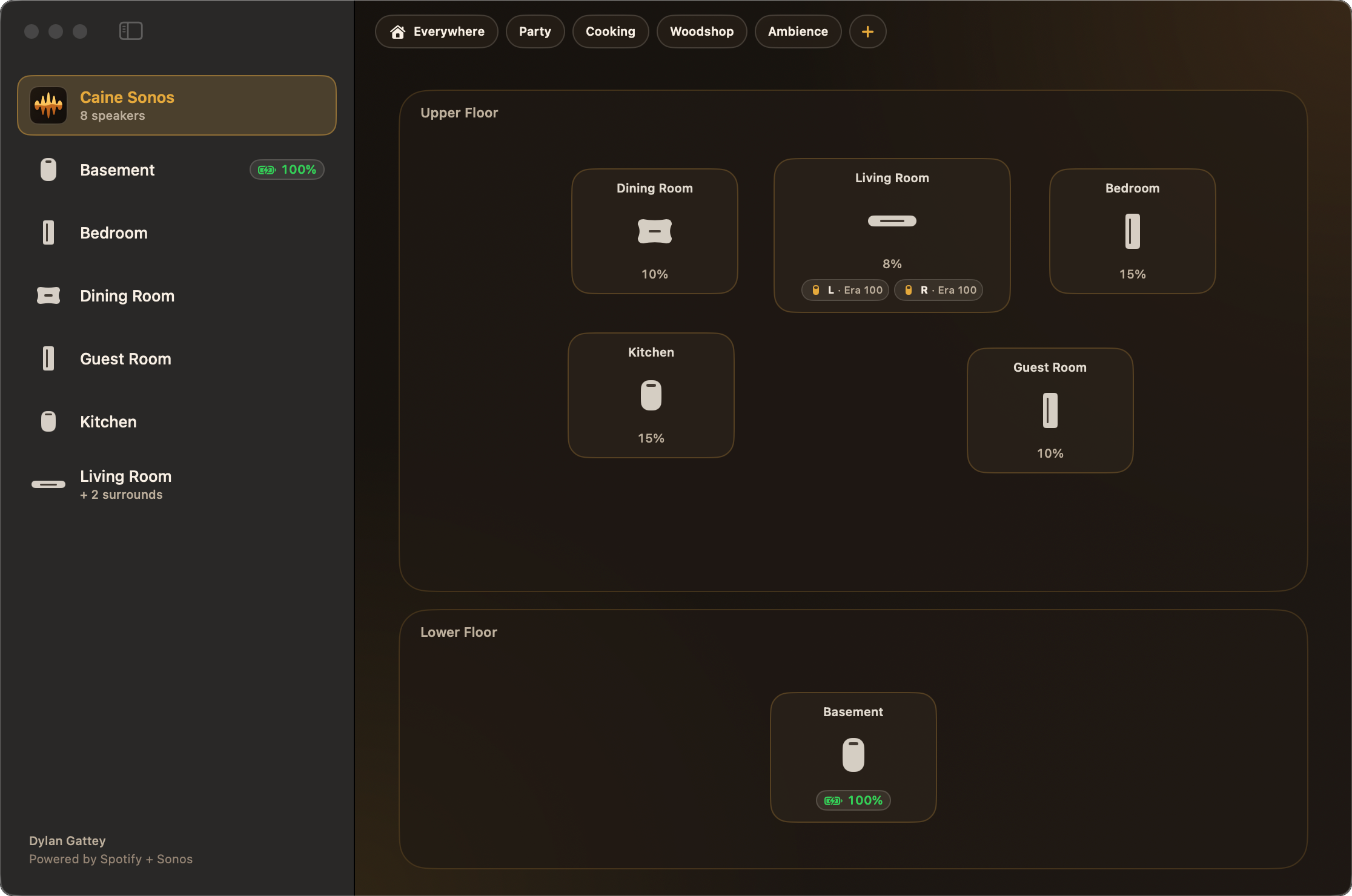

Sconeos floorplan map and multi-room speaker controls on macOS
macOS 14+ · Apple Silicon

Sconeos

The spatial audio controller for Sonos households and Spotify: a floorplan room map, discrete volume steps and instant scene grouping.

Download for macOS

Version 1.2.1 · 6.8 MB · Oct 24, 2026

First time on this Mac? macOS may block the app
  1. Open Sconeos from Applications once, so macOS records the block.
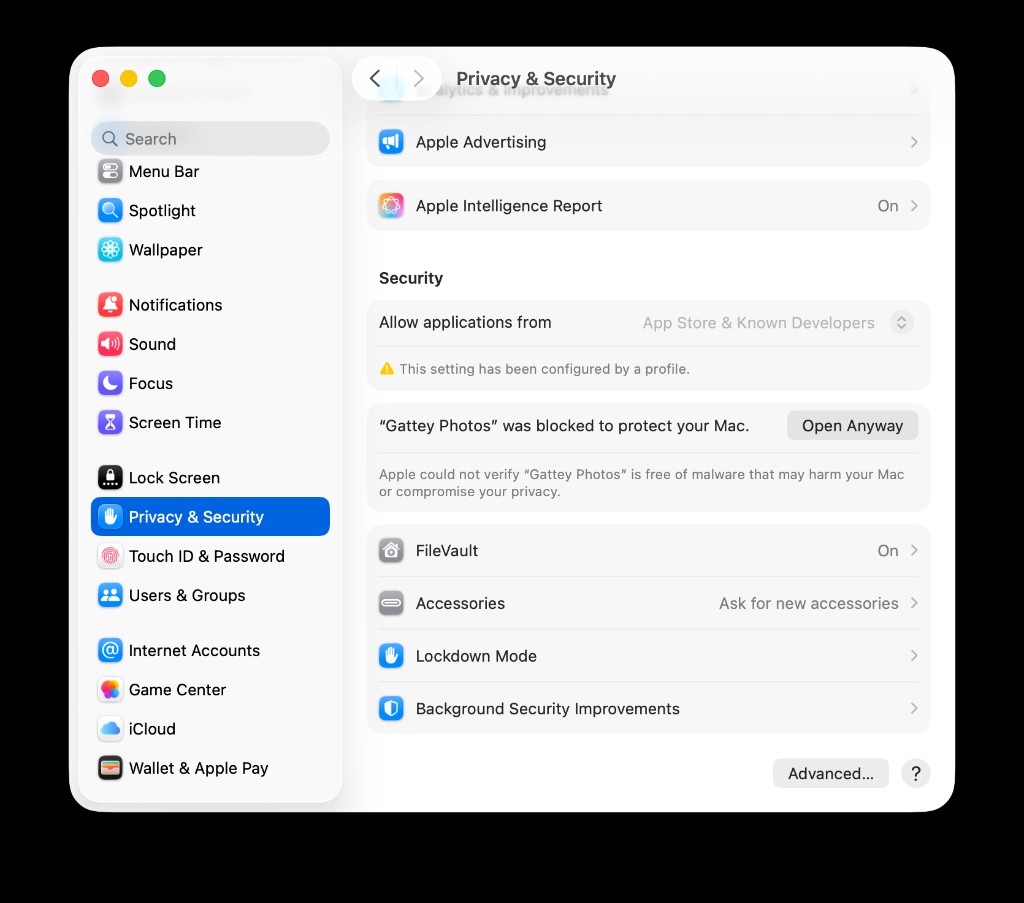
  2. Open System Settings → Privacy & Security.
  3. Under Security, click Open Anyway next to the Sconeos message, then open the app again.
Privacy & Security settings showing a blocked app with an Open Anyway button
Open Anyway appears after you try to open the app once.

On a Mac managed by your organization, Open Anyway may be turned off. Clear the download quarantine once in Terminal instead; later updates install without it.

xattr -cr /Applications/Sconeos.app

What's new

1.2.1

  • Grouping haptics build up clearly: a light tick while dragging, a firm snap when you drop or pick a menu item, and a strong double tap when Sonos finishes (#25).
  • Picking up or setting down a speaker on the Home Map, and every menu, button and preset that groups or ungroups rooms, now plays a haptic (#25).
  • On Mac, a failed group or ungroup plays an error pattern on the trackpad (#25).

1.2.0

  • Turn shuffle on and off from the Now Playing bar while Spotify is playing (#24).
  • Spotify Connect rooms behave better: Play resumes in place, tapping a song in Up Next skips to it, and Up Next always shows Spotify's live queue (#24).
  • Layout fixes across the Home Map, toolbar, Now Playing bar and speaker rows, including preset pills in the toolbar on every page (#24).

1.1.3

  • Dragging a speaker onto a room or group it can join gives a light tick on the trackpad or iPhone (#23).
  • Grouping and ungrouping confirm with a haptic once Sonos finishes, and on iPhone a failed regroup plays an error haptic (#23).

1.1.2

  • Speakers from another Sonos system, like the office, no longer show up as offline rooms at home. Each network keeps its own rooms, and they come back when you return (#21).

1.1.1

  • Internal build and release pipeline cleanup (#18, #19).

1.1.0

  • Sconeos has a Settings window (⌘,) with automatic update checks and an About page (#14).
  • Update dialogs come forward at launch and list only the versions newer than yours (#14).
  • The download site's install help now covers Macs where "Open Anyway" fails (#14).

1.0.11

  • When there's no Sonos system on your network, Sconeos shows one "No Sonos system on this network" card instead of a wall of offline rooms (#16).
  • On a network with a different Sonos system, Sconeos connects to it and shows its rooms instead of the ones from your last network (#16).
  • Battery speakers like Move and Roam show Offline on the map when they can't be reached (#16).

1.0.10

  • Sconeos no longer stalls at launch while it restores your Spotify sign-in and saved room positions (#13).
  • Moving or resetting a room pin no longer freezes the map (#13).
  • The Dock icon looks the same whether Sconeos is open or closed (#12).

1.0.9

  • If you skipped versions, the update dialog lists what changed in each one, newest first, up to the last 10 (#11).
  • The update dialog links to the full release history (#11).

1.0.8

  • Sconeos has a new Scone Cone icon on Mac, iPhone and the website (#10).
  • The app icon now follows light, dark and tinted appearances on macOS 26 and iOS 26 (#10).